The Shader Editor & Diagnostics
There are two surfaces onto the same buffer.
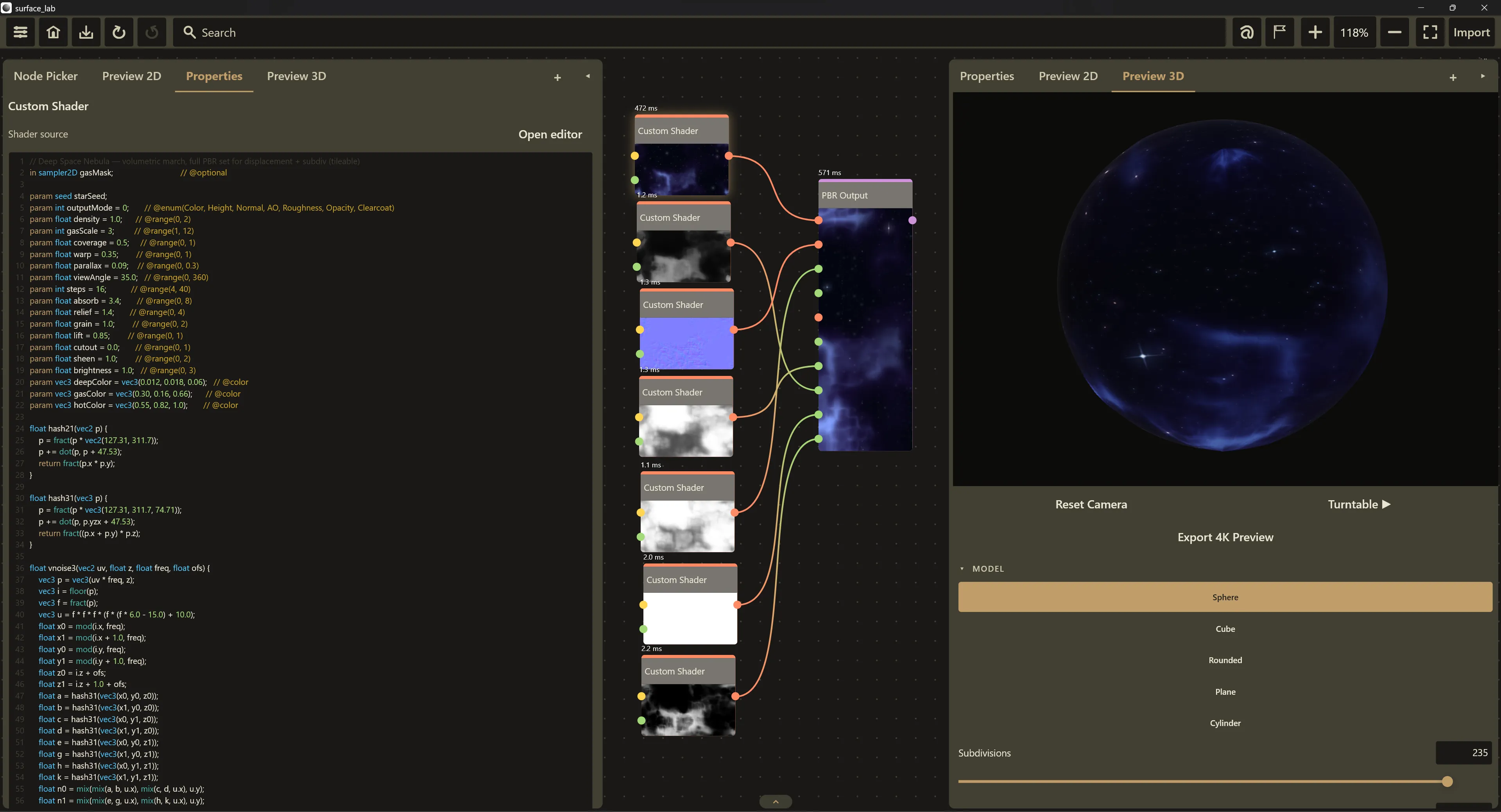
The panel editor. Select the node and the source appears in the Properties panel under the heading Shader source.
The modal editor. The Open editor button on that heading opens a full-size Shader Editor overlay, roughly 85% of the window, with a floor of about 860 × 520. It edits the same buffer through the same commit path, so the node keeps re-rendering live behind it. Dismiss with Escape or the Close button.
The modal adds a reference pane on the right, switched by two chips in the title bar: GLSL Basics and SL ↔ GLSL. Clicking the active chip hides the pane. Links inside an article navigate within the pane, so you can hop to related manual pages without leaving your code. The SL ↔ GLSL article is shown by default.
The code surface (shared by both editors)
Section titled “The code surface (shared by both editors)”- Syntax highlighting in six classes, each with its own theme color:
keywords, types, built-in functions, literals, comments, and
@annotations. Annotations get their own color precisely because they drive your ports and controls. Colors come from the active theme and can be edited per-theme under Settings, Appearance; they round-trip through.surfacethemefiles. See Settings. - Line-number gutter, right-aligned, updating as you type.
- No soft wrap. Long lines scroll horizontally so the gutter stays truthful.
- Debounced commit. Edits commit roughly 450 ms after you stop typing, not on every keystroke. Diagnostics, however, track your keystrokes immediately, so the message updates before the node re-evaluates.
- Undo, redo, selection and IME behave as in any text field. Source edits join the normal undo history.
The heading row
Section titled “The heading row”- Left: the label Shader source.
- Middle: an instruction budget meter reading
<n> / 96, shown only while the source is still runnable by the fallback interpreter. It turns to the warning color above about 82 instructions. Full-GLSL bodies have no instruction budget and show no meter. - Right: the Open editor button (panel editor only).
The status line
Section titled “The status line”Below the code box, one of four messages:
| Condition | Message |
|---|---|
| Any error | line <line>:<column> — <message> |
| Compiles, and the fallback interpreter can run it | Compiles — SL subset, runs everywhere. Entry point: vec4 shade(vec2 uv). |
| Compiles, checked by the native validator | Compiles — full GLSL, renders on the native GPU path. |
| Header is fine but no native validator is present | Header OK. Full-GLSL body — needs the native renderer to verify. |
The subset verdict wins when both apply: a source the interpreter can run reports the SL subset line even after naga has checked it too.
How a source is judged
Section titled “How a source is judged”Every surface (the panel editor, the modal, and the MCP tools) asks the same resolver, which checks in order and stops at the first failure:
- The header parser: the
in/paramcontract, the entry point, the input cap. - The emitter: forbidden body constructs (
uniform, preprocessor lines). - naga, the native shader compiler, run as a pure-CPU dry run on the generated GLSL with no GPU involved. Line numbers come back in generated-shader coordinates and are mapped into your buffer before you see them.
Step 3 is skipped when the native library is not loaded; the status line then says the body has not been verified.
Only the first error is reported. Fix it and the next one appears. Verdicts are memoized per source, so a parked editor costs nothing.
The error format
Section titled “The error format”line 14:9 — expected ';' but found 'return'That is line <line>:<column>, a dash, then the message, positioned in
your source text: header offsets are already subtracted. The offending line
number is tinted in the gutter and the code box border turns to the error
color.
What happens to the render while a source is broken
Section titled “What happens to the render while a source is broken”A source that does not compile leaves the node’s output untouched. The canvas keeps showing the last successful render while you type. Nothing errors, nothing goes black.
Ports, and dropping wires
Section titled “Ports, and dropping wires”Committing a source re-derives the node’s ports from the new declarations. Ports are matched by id, which for a Custom Shader is the declared name.
- A connection survives as long as a declaration with the same name still exists.
- Any connection left pointing at a port that no longer exists is dropped,
and a warning toast appears:
<n>connections dropped, the port it was wired to no longer exists. - Existing parameter values are kept. Renaming a parameter resets it to the new default; removing one leaves its stored value in place, so undoing the edit restores it.
- Undo restores the source and the connections together.
There is an important asymmetry in when ports collapse. If the header fails to parse (a syntax error in a declaration, a missing entry point, a fifth input), the node falls back to the bare definition of Mask plus Output, and connections into your declared inputs are dropped at the next commit. If the header is fine and only the body fails (a GLSL type error, say), the ports are untouched: the header still describes them.
The quarantine circuit breaker
Section titled “The quarantine circuit breaker”Nothing can prove that a shader terminates. A while(true) on the GPU means
the operating system resets the graphics device after roughly two seconds,
and can take the whole application down with it. The defense is a circuit
breaker keyed on the content of the generated shader:
- Trial. The first time a never-seen source renders, it runs a 64 × 64 trial with neutral inputs through the same pipeline and queue the real render would use, followed by a tiny readback. Before that trial is submitted, a pending marker is written to disk synchronously, so if the process dies, the evidence survives.
- Trusted. A trial that completes flips the source to trusted, permanently, for that exact content. Nothing runs a trial twice.
- Quarantined. Two things convict a source: a trial the render core never answered, caught by a 10-second watchdog on the readback, and an application relaunch that finds the marker still pending, meaning that shader took the last process down. That verdict is itself persisted.
- No verdict. A trial whose submit the queue refused, or whose readback came back empty rather than never arriving, clears the pending marker and records nothing. Those are symptoms of a torn-down render core, not of a shader that will not terminate, so the source is not quarantined for them and the next render runs a fresh trial.
The verdict is stored in shader_trust.txt in the application’s support
directory, keyed by a content hash of the generated shader.
What you see. A quarantined source shows a warning banner above the code box in both editors:
This shader was disabled after a device reset — it may not terminate. Edit the source to retry it, or run it anyway.
with a Run anyway button.
How to recover.
- Edit the source. Any edit, even whitespace that changes the generated shader, produces a new content hash and therefore a completely fresh trial. This is the normal, safe route: bound your loops and carry on. The breaker never wedges iteration.
- Run anyway. Trusts the current source’s hash outright and re-commits it, which re-renders the node. Use it only when you are confident every loop is bounded, for instance when you know the reset was caused by something else on the machine.
What quarantine actually blocks. A quarantined source is skipped on the native path only. If the source also fits the SL subset, the fallback interpreter still renders it, because that interpreter is instruction-bounded and cannot hang. A full-GLSL quarantined source produces no output at all.
Headless and MCP hosts keep the trust store in memory only; a batch run’s protection dies with its process, which is the same guarantee. See Command Line.
Repeated native failures
Section titled “Repeated native failures”Quarantine is for a shader that hangs the device. A second, milder guard covers a render that merely fails: three failures in a row park a node on the fallback, and one successful render clears the count.
The streak is keyed by whatever actually failed. For a built-in node that is its type; for a Custom Shader it is a content hash of that node’s own source, so two Custom Shader nodes fail independently and any edit to either one starts a fresh count. A single bad frame therefore costs one shader a few retries rather than taking every Custom Shader in the project off the native path.
Parking a full-GLSL shader on the fallback means it stops producing anything, since that interpreter has no loops and a 96-instruction budget. When a node has no output for this reason, the message says so (that it is on the fallback, and whether the fallback can run the source at all) rather than pointing you at the wiring.